Character Sheet Specifics
Note that even if something is on a different tab, you can often click the Star ( ) button to mark it as a “Favorite”. Favorites show up on the Overview tab of the sheet.
Shared Sheet Top
Both sheets put the basics (HP, MP, IP, level, resistances, attributes, etc.) at the top and will show this information regardless of which tab you’re on.
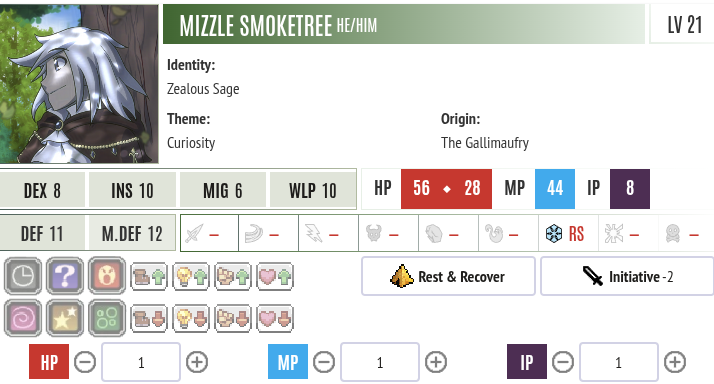
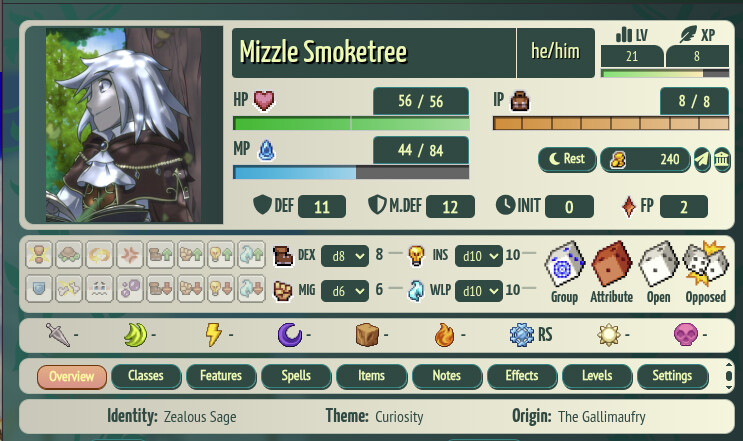
Specific Sheet Elements
Bonds: Meta tab (Roll20), abbreviated on Overview and detailed on Notes tab (Foundry)
Classes: Classes tab (Roll20 and Foundry). Click on a Class name to collapse or unfold it, showing individual class skills.
Equipment: Backpack tab (Roll20), Items tab (Foundry). To change what’s equipped, click on the “Equip?” column. Left-click for Main Hand, right-click for Off Hand or to unequip.
Experience Points: Meta tab (Roll20), “XP” on the shared sheet top (Foundry)
Fabula Points: Meta tab (Roll20), “FP” on the shared sheet top (Foundry)
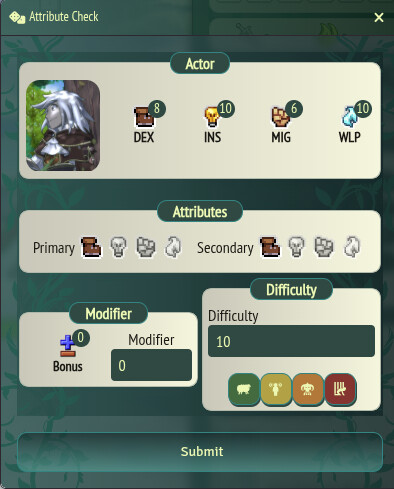
Frequently Used Checks: Conflict tab (Roll20), Group/Attribute/Open/Opposed buttons on the shared sheet top (Foundry)
There’s no way to predefine certain attribute combinations, e.g. “Persuade” or “Dodge”, as Roll20 does. You choose icons for both attributes to roll, then enter the modifier and difficulty values if any.
Inventory: Backpack tab (Roll20), Items tab (Foundry). To use an item, use the on-screen action menu or Actions > Inventory on the Overview tab. To spend IP manually, edit it on the top right of the shared sheet top.
Other Items: Backpack tab (Roll20), Items tab (Foundry)
Rituals: Conflict tab (Roll20), Spells tab (Foundry)
Spells: Conflict tab (Roll20), on-screen action menu, Actions > Spell on Overview tab (Foundry). The Spells tab lets you edit these.
Weapons: Conflict tab (Roll20), on-screen action menu, Actions > Attack on Overview tab (Foundry). The Items tab lets you edit these.
Hotbar
There’s a hotbar at the bottom of the Foundry screen. You can drag weapons, spells, class abilities, etc. down to this bar for frequently-used stuff.