Combat Basics
I want to roll one of my attacks or spells
Go to the on-screen menu (top left) and choose Attack, Skill, Action, etc. Pick whatever you’re trying to do. The result will be posted into chat.
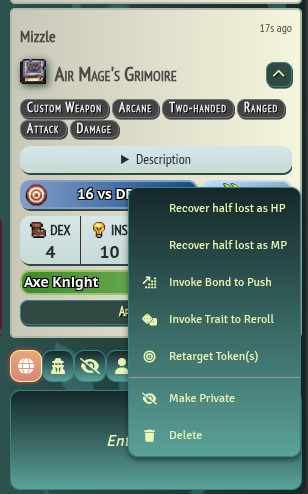
I want to reroll one or both dice, use a bond, or otherwise affect the roll
Right-click on the result (e.g. “16 vs. DEF”) and choose the appropriate option from the menu:
I want to use a Fabula point
You don’t have to manually edit the value, although you can. You can open your character sheet and just click on “FP”. It will prompt you if you want to use a Fabula point, so just click Yes.
I see a button that says “Apply Damage”, do I do that?
No - the GM will do that for you.
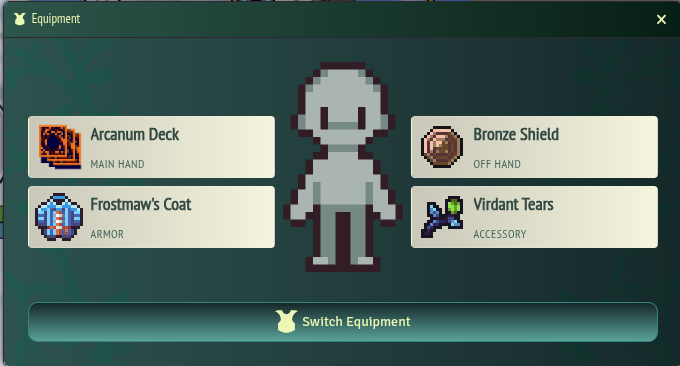
I need to rapidly switch my equipment
Go to the on-screen menu (top left) and choose Action > Equipment. Choose the gear you’re changing, then click “Switch Equipment”.
I want to update my own HP, MP, or IP
You can either edit these values on your sheet, or right-click on your own sprite on the battlefield, then update the appropriate number.
I took a status effect, how do I mark that?
Right-click on your sprite on the battlefield, click on the “Assign Status Effects” button (top right), then select the status you want.