So I figured I would show off my little journey on how I am setting up the new Foundry version of the game and an example of setting up something so that it won’t be a pain to maintain.
So the Trimaldi’s Magitech Cannon is an example of something that should in theory be easy, but because we’re working with data objects, requires a bit of noodling to figure out the best way to do it. The folks at ProjectFU just made an item entry with links to a bunch of prefabbed Magicannon items of each damage type and expecting you to drag them over and delete an existing one when you use the feature to make a new one.
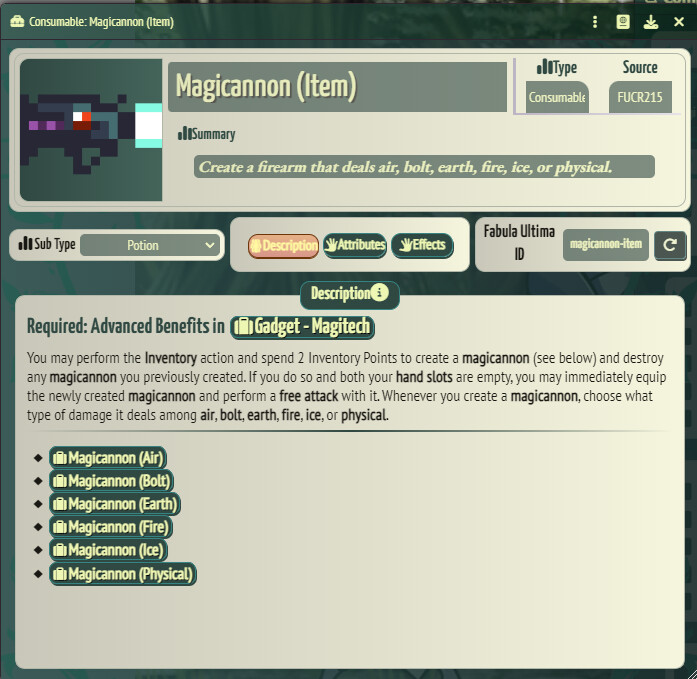
This is functional, except Dave now is using the Variant Magitech Armament skill, which means the Trimaldis can Sublimate other Rare Weapons into the Magitech Cannon to use their qualities. How best do we tackle this? Well a single item that we can modify is probably the best answer, but how about the damage types?
Well, we solved that with macros in Roll20, I’m sure we can do that in Foundry too, right? Yes, and it’s Javascript based which means we can directly alter the underlying data object. This opens possibilities for automating Sublimating new items in the future, but for now we’re just going to worry about changing the damage type.
After a bit of banging around in the data model and figuring out what Foundy will and won’t let you play with, I came up with this script. It’s locked to the Trimaldis, but I don’t expect this to change anytime soon.
function makeUpdate (dmgType) {
    let newObject = {"img":"systems/projectfu/styles/static/compendium/classes/tinkerer/gadget/magicannon/magicannon-" + dmgType + ".png",
        "system.summary.value":"A magitech firearm that deals "+ dmgType+" damage.",
        "system.damageType.value":dmgType,
        "description": "<p>A magitech firearm that deals <strong>"+ dmgType+"</strong> @ICON["+ dmgType+"] damage.</p>"
    }
    return newObject;
}

// Find the Trimaldis and their cannon
let trimaldis=game.actors.getName("Trimaldis");
let cannon=trimaldis.items.getName("Magitech Cannon");

//Make list of cannon types.
const dmg = ["physical", "air", "bolt", "earth", "fire", "ice"]

// Make dialog prompt
let myContent = `
  <div class="form-group">
          <label for="dmgSelect">Select damage type</label>
          <select name="dmgSelect">`

for (i = 0; i < dmg.length; i++){
  let capDMG = dmg[i].capitalize()
  myContent += `
  <option value="${dmg[i]}">${capDMG}</option>`
}

myContent += `</select>
        </div>`


await Dialog.prompt({
    title: 'Select Magitech Cannon Damage type',
    content: myContent,
        callback: async(html) => {
          let selection = html.find('[name="dmgSelect"]').val();
          let change = makeUpdate(selection)
          await cannon.update(change) // Call the update and wait for it to finish
    }
 })
It could probably be improved upon, but it works and that’s all that matters to me.
Now when the Trimaldis click on the Magitech Cannon Inventory action in their action bar, they’ll see something a bit different from what the default option is:
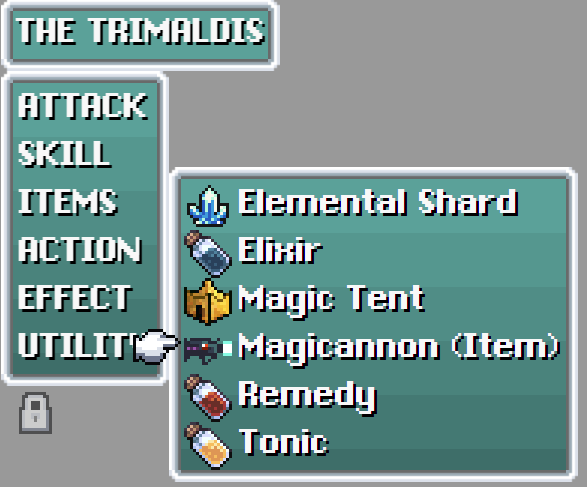
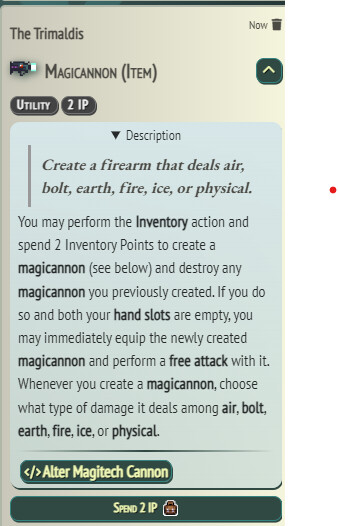
So what happens if we click on the “Alter Magitech Cannon” button? We get this popup. (You’ll also likely be hitting the Spend 2 IP button which, unlike my Roll20 version, actually works here.
 )
)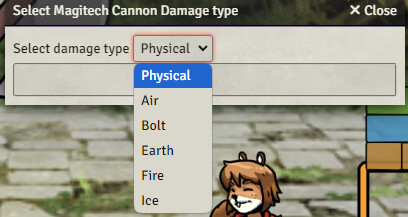
Selecting an option will not only change the damage type, but also updates all the text on the item description.


Not bad for an evening’s work.
So how do we expand upon this? Well, just like the description, damageType, and other things we’re modifying here, all of the other bits of automation are just parts of the data object, so if we know which ones we’d modify for a given weapon, we can just make a version of this script that clears out any modifications from the base version of the Magitech Cannon, then pulls all the information that may exist on whatever weapon the Trimaldis are canabilizing for their gun. That one is probably going to take a bit more time to automate… but completely doable.
Excited to try out more bits of automation like this. 
